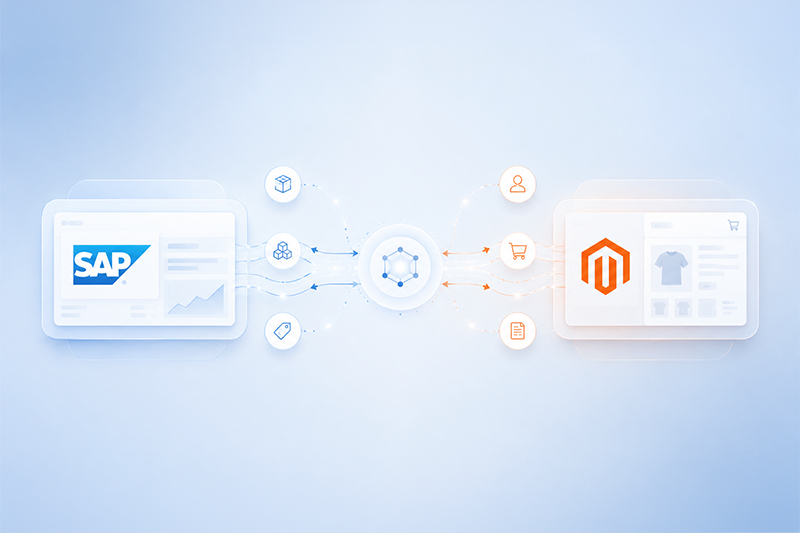
Magento SAP Business One Integration Architecture: What Data Should Sync, Which System Should Own It, and Why?
by Rahul Basu
August 18,2026
A Connector Can Work and the Integration Can Still Fail
Magento shows one price. SAP Business One holds another. The customer places the order anyway, because nothing on the storefront told them otherwise. Inventory, on paper, is synchronised — the stock count matches. But Magento and SAP disagree about which system actually owns that price, and nobody defined which one should win. The connector has not necessarily failed here. The architecture has. This is one of the more uncomfortable realities in Magento SAP Business One integration work: the API can be technically sound, every field can map correctly, and the integration can still produce wrong answers, because nobody decided which system is allowed to be right. That leads to the question this article is actually about: which data should move between Magento and SAP Business One, in which direction, and which system should remain the source of truth for each one? In most Magento–SAP Business One integrations, SAP Business One should remain the primary system for ERP-controlled data such as inventory, customer-specific pricing, financial records and fulfilment, while Magento manages ecommerce presentation and the storefront buying experience. However, ownership should be explicitly defined for every entity before synchronisation rules are built — not assumed from what the API happens to be capable of.What Is Magento SAP Business One Integration?
A Magento SAP Business One integration connects the ecommerce platform to the ERP so business data moves automatically between the storefront and the back office, rather than being re-entered by hand in both places. In a typical implementation, the entities in scope include customers, products, inventory, prices, orders, payments, shipping information, invoices and order status. Ingold's own connector, for instance, already supports bidirectional synchronisation across most of these areas — customers, products and inventory, orders, pricing, payments and shipping. That breadth is table stakes for a serious integration. What tends to separate a working connector from a working architecture is the next question.The Most Important Integration Question: Which System Owns the Data?
Every integration project eventually runs into the concept of a system of record — the one place a given piece of data is considered authoritative. The mistake worth avoiding is letting synchronisation direction get decided by what the API can technically update, rather than by who actually owns the business process behind that data. A simple rule holds up well in practice: whichever system creates and governs a piece of business data should be treated as its authoritative source, and every other system should be a consumer of it, not a second author.| Data Entity | Typical System of Record | Typical Direction |
| Product master | SAP or PIM, depending on architecture | SAP/PIM → Magento |
| Ecommerce content | Magento or PIM | → Magento |
| Inventory | SAP Business One | SAP → Magento |
| Customer-specific pricing | SAP Business One | SAP → Magento |
| Web customer registration | Magento | Magento → SAP |
| Sales orders | Magento | Magento → SAP |
| Invoices | SAP Business One | SAP → Magento/customer |
| Shipping status | SAP or WMS | SAP → Magento |
| Tracking number | SAP or WMS | SAP → Magento |
| Payment transaction | Magento/payment gateway | Magento → SAP |
What Data Should Sync Between Magento and SAP Business One?
Customer Data
Customer synchronisation typically covers registration details, billing and shipping addresses, existing customers who already have an account, guest buyers, and the mapping between Magento customers and SAP Business Partners — with duplicate prevention built in so the same buyer doesn't end up as three different records across two systems. Ingold's connector, as an example, handles new customer accounts, existing web customer data and guest customer information as three distinct synchronisation paths, each mapped into SAP Business One's Business Partner master data.Should Magento or SAP Business One own customer data?
The honest answer has some nuance to it. Magento is usually where the record is first created, since that's where the customer registers or checks out. But once that customer enters ERP workflows — credit checks, order history, account-level pricing — SAP commonly becomes the operational master, and Magento's copy should be treated as a reflection of it, not a second source of truth.Product Data
Product synchronisation usually spans SKU, product type, categories, attributes, images, visibility and descriptions, along with the more complex product types — configurable products, bundles, and grouped or downloadable items.Should all product data originate in SAP?
Not necessarily, and this is a point worth being direct about. ERP systems are strong at commercial product data — item codes, costing, warehouse assignment, unit of measure. They are not generally built for rich merchandising content. Magento, or a dedicated PIM sitting in front of it, is usually the better home for descriptions, marketing images and category structure, even when the base item record originates in SAP.Inventory Synchronisation
This is one of the highest-value — and highest-risk — parts of the integration. The typical flow runs from SAP available stock, through the connector, into Magento salable inventory. Getting this right means accounting for more than a single stock figure: physical stock, committed quantities, quantities already on order, reservations, safety stock, and stock spread across multiple warehouses all need to be reconciled into one number Magento can safely sell against. Adobe Commerce itself reflects this complexity in its own architecture — it separates physical inventory sources from salable stock, and uses reservations and source-selection logic to handle fulfilment across multiple locations, rather than treating inventory as a single flat number.Should Magento or SAP Business One control stock?
For a business running SAP Business One as its ERP, SAP should typically remain the inventory authority, with Magento exposing whatever SAP determines is genuinely available to sell. Letting Magento adjust stock independently — even with good intentions, such as manual corrections after a stocktake — tends to be exactly how the two systems drift apart.Customer-Specific Pricing
For B2B-heavy merchants, this is often the section that matters most. Relevant pricing structures include SAP price lists, customer-group prices, special prices, quantity discounts, time-based discounts, negotiated contract pricing, and Magento's own Shared Catalog pricing for B2B company accounts. Adobe Commerce currently supports company-specific Shared Catalogues and custom product pricing at the company level, and Ingold's connector supports synchronising SAP price lists along with time- and volume-based discounts directly into the storefront.Should the same price be maintained manually in Magento and SAP?
No. For anything beyond simple retail pricing, maintaining the same contract price by hand in two separate systems is an unnecessary and avoidable source of risk — it's precisely the kind of dual-ownership gap that produces the scenario in this article's opening.Orders
The recommended flow runs from Magento checkout into a SAP Business One sales order. This needs to account for registered customer orders, guest orders, optional sales-order drafts, discounts, taxes, shipping and payment information, with accurate value mapping so the order total in Magento matches the order total in SAP to the cent. Ingold's connector can convert Magento web orders directly into SAP Business One sales orders, or route them as sales-order drafts instead — giving SAP users a chance to check stock, verify payment and validate the customer before the order is confirmed, with a dynamic mapping screen to control which orders take which path.Payments and Invoices
Many integration articles stop at orders and inventory, which leaves out one of the more error-prone parts of the flow: how payment moves from the gateway, through Magento, into SAP Business One. It's worth being precise about the distinction between payment authorisation, capture, the transaction ID, the A/R invoice generated in SAP, and the payment record itself — these are related but separate objects, and treating them as interchangeable is a common source of reconciliation problems. In a well-built flow, successful payment triggers an invoice in the ecommerce shop, and the order, invoice, payment receipt and online transaction ID all download into SAP Business One together, so finance has one consistent record rather than having to stitch it together from two systems.Shipping and Fulfilment Data
Shipping synchronisation covers the shipping method selected, freight costs, delivery status, the tracking number, and the resulting Magento order status update. In practice, this usually means the shipping method and charges stay linked between the two systems via the API, and a tracking number entered on the SAP delivery note becomes visible to the customer inside their Magento order details.Real-Time vs Batch Synchronisation
Not every entity needs to move in real time, and treating them all the same is a common way integrations become slower and harder to maintain than they need to be.| Factor | Real-Time | Batch |
| Inventory accuracy | Higher | Delay possible |
| Order processing | Immediate | Scheduled |
| API traffic | Event-based | Periodic spikes |
| Complexity | Higher | Simpler |
| B2B pricing | More responsive | Can become stale |
| Best suited to | Critical operational data | Low-risk bulk updates |
- Inventory — real time or event-driven
- Orders — near real time
- Pricing — real time or scheduled, depending on how often it actually changes
- Product descriptions — scheduled
- Historical data — batch
Why SAP Business One Webhooks Matter in 2026
SAP Business One 10.0 Feature Package 2602 added webhook support to the Service Layer, letting the platform push instant notifications when relevant business objects are created or updated, instead of external applications having to keep asking whether anything has changed. The architectural difference is significant. The traditional pattern looks like this: SAP holds the data, a connector polls it on a schedule, checks whether anything changed, and pushes updates to Magento if it finds any. The event-driven pattern looks different: SAP fires an event, a webhook carries it straight to the connector, and Magento updates immediately — no polling cycle in between. The practical benefits are fairly direct: less constant polling, faster response to real business events, lower unnecessary API traffic, a cleaner real-time architecture, and better scalability as order volume grows. For merchants weighing up how “real-time” their Magento SAP Business One integration genuinely needs to be, Service Layer webhooks make the event-driven end of that spectrum considerably more practical than it was on earlier SAP Business One releases.Common Magento SAP Integration Architecture Mistakes
Letting Both Systems Own the Same Field
The opening scenario in this article, in short: no one decided who wins when Magento and SAP disagree.Synchronising Every Field
Not every SAP field belongs in Magento, and not every Magento field belongs in SAP. Syncing everything by default adds maintenance burden without adding business value.Using Real-Time Sync for Everything
Treating a product description update with the same urgency as a stock level change adds unnecessary API load for no real benefit.No Conflict Resolution
If two systems can both attempt to update the same record, the architecture needs a defined rule for what happens when they disagree — not a hope that it never occurs.No Idempotency
Without idempotent processing, a retried webhook or a re-sent order can create duplicate records instead of safely resolving to the same end state.Weak Customer Matching
Matching customers on name and email alone, without a reliable unique identifier, is one of the more common ways duplicate Business Partner records accumulate in SAP over time.No Error Queue
When a sync fails, it needs somewhere to land for review and retry — not to simply disappear, leaving a mismatched order or price sitting unnoticed.No Integration Monitoring
An integration that only gets checked when a customer complains is an integration nobody is actually managing.Ignoring API Rate and Performance Constraints
High order volumes or bulk catalogue updates can hit rate limits on either platform if the architecture wasn't designed with realistic peak load in mind.Testing Only the Happy Path
An integration that has only ever been tested with a clean order, a known customer and available stock hasn't really been tested — it's been demonstrated.How Magento B2B Changes the SAP Integration
Adobe Commerce's B2B feature set — company accounts, multiple users per account, shared catalogues, customer-specific pricing, quotes, purchase orders and company credit — adds a further layer of entities that need their own synchronisation logic, not just a repeat of the standard B2C mapping.- Magento Company → SAP Business Partner
- Company user → SAP contact
- Shared Catalog → SAP price list
- Company credit → SAP credit limit
- Purchase order → SAP sales order workflow
Magento SAP Business One Integration for EU vs USA Operations
Businesses running Magento and SAP Business One across both EU and US operations from one architecture typically need to plan explicitly for a set of differences that a single-market implementation can otherwise ignore.Multi-Website Architecture
Separate Magento websites or store views per region, sharing a common product and customer backbone.Currency
Price lists and order totals need to resolve correctly per market rather than assuming one base currency.Tax Logic
EU VAT and US sales tax follow fundamentally different rules and need to be handled as genuinely separate logic, not a single shared tax table.Warehouses
Regional fulfilment locations need to map cleanly to the correct SAP warehouse and Magento inventory source.Payment Methods
Regional payment preferences and compliance requirements differ enough to warrant separate configuration.Shipping Rules
Carrier options, freight calculation and delivery expectations vary by region.Customer Price Lists
Region-specific pricing needs to map to the correct SAP price list rather than a single global one.Localisation
Language, formatting and compliance documents need to match the region being served. SAP's own Integration Hub currently lists a broad set of supported SAP Business One localisations spanning numerous EU countries as well as the USA, which is one of the reasons a single Magento-SAP architecture serving both regions is a realistic goal rather than a stretch.Preparing EU Magento–SAP Architecture for ViDA
The EU's VAT in the Digital Age (ViDA) package is now in its implementation phase. Mandatory cross-border B2B digital reporting and structured e-invoicing for intra-EU transactions are scheduled to take effect from 1 July 2030, with domestic mandates in several member states arriving earlier on their own national timelines. This is worth framing accurately: it's an architecture-preparation point, not an immediate compliance deadline for every business today. But given how far the groundwork for structured, auditable invoice data tends to reach back into ERP and ecommerce architecture, it's a reasonable time to start thinking about it rather than waiting until 2029. Areas worth considering now include: which system owns invoice generation, how tax data is structured and stored, whether ERP master records already hold the data ViDA will require (legal entity names, VAT identifiers, e-invoicing identifiers), how cross-border VAT data flows between Magento and SAP, what an electronic document flow between the two systems would need to look like, and how auditability is maintained across both platforms.Direct Connector vs Middleware
This is a genuine architectural decision, not a question with one universally correct answer.| Architecture | Direct API | Middleware |
| Components | Fewer | Additional platform layer |
| Transformation | Custom connector logic | Middleware mapping rules |
| Monitoring | Must be built in | Often included out of the box |
| Flexibility | High | High |
| Vendor dependency | Lower, depending on design | Tied to the middleware vendor |
| Complexity | Application-specific | An additional platform to run |
How to Monitor a Magento SAP Business One Integration
This tends to be an under-covered part of the conversation, even though it's where most of the day-to-day integration risk actually lives. A properly monitored integration needs sync logs, visibility into failed records, a retry mechanism, alerting when something goes wrong, a dead-letter or error queue for records that can't be resolved automatically, and regular reconciliation checks — order totals, inventory discrepancies, duplicate customers, and API latency. A few KPIs worth tracking on an ongoing basis:- Order sync success rate
- Inventory sync latency
- Failed records per 1,000 transactions
- Price discrepancy count
- Duplicate customer creation rate